You pay once, in the app, while you fill in the questionnaire. The price includes the government's fee and ours.
When you pay
On most forms, the steps after a certain point carry a lock icon until you pay (point at it: Complete payment to unlock); it usually comes before the last steps. Press Next on the step before it, and the Complete Payment window opens. On a few forms you pay when you submit instead.
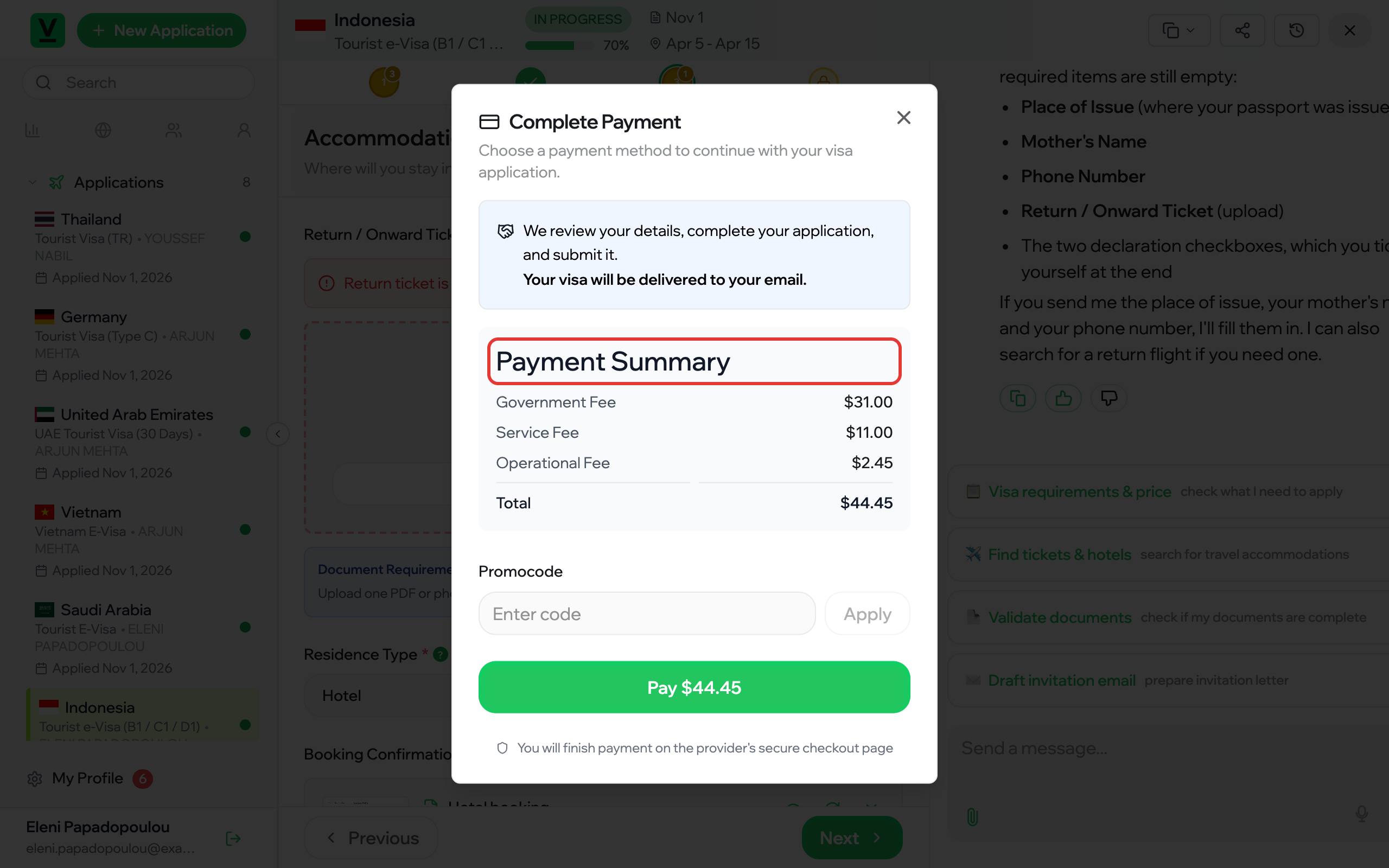
What the window shows
- Payment Summary: the Government Fee (what the country charges for the visa), our Service Fee, an Operational Fee, and the Total. The price depends on the visa type and on your answers, such as where you live.
- Promocode: type a code and press Apply to see the new total.
- Pay: press it to go to the payment provider's secure checkout page and pay by card there.
After the payment, the remaining steps open. On the last one (Review & Submit on most forms), check the summary of your answers, press Validate Application and fix what it lists, then submit. We review your details, complete your application and submit it; your visa is delivered to your email.
